

Remote and hybrid work have changed the way teams create, share, review, and manage information. Employees may be working from different cities, using different devices, and collaborating across several time zones. Without a reliable system for managing digital content, important documents can quickly become difficult to find, outdated, or scattered across emails and individual devices.
Box provides businesses with a centralized cloud platform for storing, managing, sharing, and collaborating on content. The platform supports documents, images, videos, presentations, spreadsheets, and other types of business files while providing tools for collaboration, workflow automation, security, and content management.
For companies moving toward flexible working models, having a structured content environment can make everyday tasks easier. Instead of relying on multiple disconnected storage locations, teams can create a more consistent way to access information, collaborate on projects, and keep important files protected.
Create One Central Place for Important Work Files
One of the biggest challenges of remote work is knowing where the latest version of a document is located. A file may have been sent through email, saved on a laptop, uploaded to a messaging platform, or stored in a personal folder. As projects become more complicated, this can create unnecessary confusion.
Box gives teams a centralized cloud environment where business content can be stored and organized. Employees can access files from different devices while working remotely or in the office, helping reduce dependence on individual computers and scattered storage locations.
A centralized system is particularly useful for departments that work with large amounts of information. Marketing teams may need campaign assets, sales teams may handle proposals and contracts, while HR departments may manage employee documents and onboarding materials.
Organizing these files into clearly structured folders, categories, and metadata systems can also make information easier to locate. Box supports metadata-based organization and search capabilities, helping businesses manage large amounts of unstructured content more efficiently.
Make Collaboration Easier Across Different Locations
Remote collaboration becomes difficult when employees constantly have to download files, send updated versions, and explain which document should be used. A better system allows team members to work with the same content while maintaining appropriate access controls.
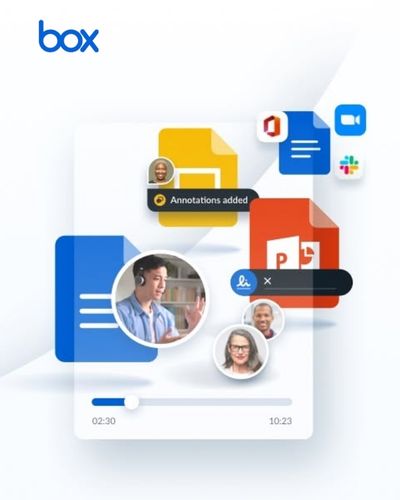
Box supports secure collaboration with internal and external users, allowing teams to share content and work together from different locations and devices. The platform also supports co-editing and collaboration tools that help employees work on projects without depending entirely on email attachments.
For example, a marketing team can keep campaign presentations, graphics, product information, and approval documents in a shared workspace. Team members can access the relevant material without repeatedly requesting files from colleagues.
This can also make external collaboration more manageable. Businesses frequently work with agencies, consultants, vendors, clients, and contractors. Instead of sending large attachments through email, teams can use controlled sharing to provide access to the necessary content.
The result is a smoother workflow where people can spend less time searching for files and more time completing the actual work.
Improve Access Without Losing Control
Remote work creates another important challenge: employees need convenient access to information, but businesses also need to protect sensitive content. Financial documents, customer information, contracts, employee records, and intellectual property should not be available to everyone simply because they work for the same company.
Box combines collaboration with enterprise security and access controls designed to help organizations protect sensitive information. Its platform includes tools for content classification, security controls, threat detection, governance, and compliance.
This means businesses can think more carefully about who should be able to view, edit, download, or share particular files. Different teams can have different levels of access depending on their responsibilities.
For hybrid organizations, this is particularly important because employees may be accessing company content from home networks, mobile devices, coworking spaces, or other locations outside the traditional office.
A secure content strategy therefore needs to balance convenience with control. Box is designed to support this balance by allowing employees to work with content while giving organizations tools to manage security and compliance requirements.
Reduce Repetitive Tasks With Automated Workflows
Remote teams can lose a surprising amount of time on repetitive administrative work. Sending documents for approval, collecting files, requesting signatures, moving documents between departments, and following up with colleagues can all slow down projects.
Box offers workflow capabilities designed to automate content-based processes. Businesses can use workflows for activities such as document reviews, approvals, onboarding, and other repeatable processes. The platform also supports integrations with more than 1,500 applications, helping organizations connect content with other business tools.
For example, an HR team could create a structured onboarding process where documents are requested, reviewed, approved, and stored as part of a consistent workflow. A sales department could use automated processes for contracts or approval documents.
Box also offers native e-signature capabilities through Box Sign, allowing organizations to request, complete, and track signatures within their content environment.
Automation can be especially valuable for remote teams because it reduces the need for employees to manually coordinate every step. Instead of relying on messages such as “Have you reviewed this yet?”, a structured workflow can help move the document to the appropriate person automatically.
Use AI to Get More From Business Content
Modern businesses store enormous amounts of digital information, but having information is not the same as being able to use it effectively. Employees may spend significant time reading documents, searching for specific details, or trying to understand large collections of unstructured content.
Box has expanded its platform with AI capabilities designed to help organizations extract insights from business content. Box AI can assist with tasks such as summarizing documents, analyzing information, and generating insights from content while working within the broader content management environment.
For businesses, this can make large collections of documents more useful. Instead of manually reading every file to locate relevant information, employees can use AI-assisted tools to work with content more efficiently.
Box also offers AI-powered metadata extraction and document processing capabilities for organizations that need to identify and retrieve information at scale.
This can be valuable in industries where employees regularly handle contracts, financial documents, customer records, research materials, or other information-heavy files.
The important point is that AI works best when content is organized and accessible. Combining centralized content management with intelligent tools can give businesses a stronger foundation for making information more useful.
Build a Flexible Digital Workplace for the Future
A successful remote or hybrid workplace needs more than video meetings and messaging apps. Employees also need reliable ways to find information, collaborate on projects, complete approvals, and manage documents regardless of where they are working.
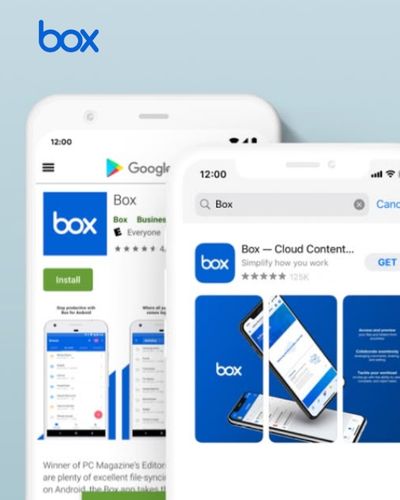
Box brings many of these capabilities together in one content management environment, including cloud storage, collaboration, workflow automation, security, AI, integrations, and e-signatures.
Businesses can begin by identifying their biggest content-related problems. If employees struggle to locate files, better organization may be the priority. If approvals take too long, workflow automation may provide the biggest improvement. If sensitive information is difficult to control, stronger security and governance tools may be more important.
The advantage of a flexible platform is that organizations do not have to solve every problem at once. They can gradually introduce better processes as their teams and requirements evolve.
Box can also connect with other workplace applications, making it possible to build a broader digital environment instead of forcing employees to abandon the tools they already use. Its current platform supports more than 1,500 integrations.
Ultimately, productive remote work depends on making information accessible without making it chaotic. A centralized content strategy can help employees spend less time searching, requesting, duplicating, and organizing files and more time focusing on meaningful work.
With Box, businesses can create a more connected digital workplace where teams can collaborate securely, automate repetitive content processes, use AI to understand information, and access important files from wherever work happens. For organizations adapting to increasingly flexible working models, that combination can make everyday operations more organized, efficient, and prepared for the future.